
Why the Eye Misjudges Shade Value, and How to Correct It
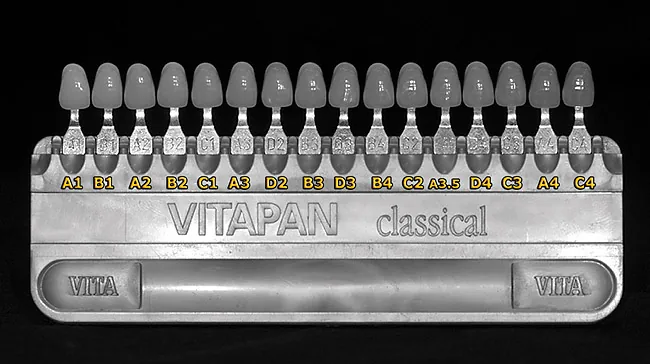
When we are unsure about value between a tooth and a shade tab, a black-and-white photo usually settles it. McLaren explains that the eye does not see value independently of chroma: when two surfaces have close value levels, the one with higher chroma looks darker. His familiar example is A1 and B1 in the classical shade guide: B1 looks brighter, but a black-and-white photo shows that the higher value belongs to A1 (Figure 1).
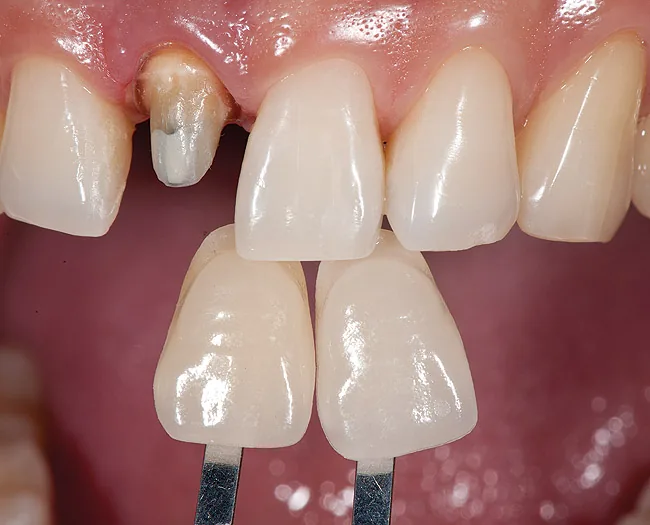
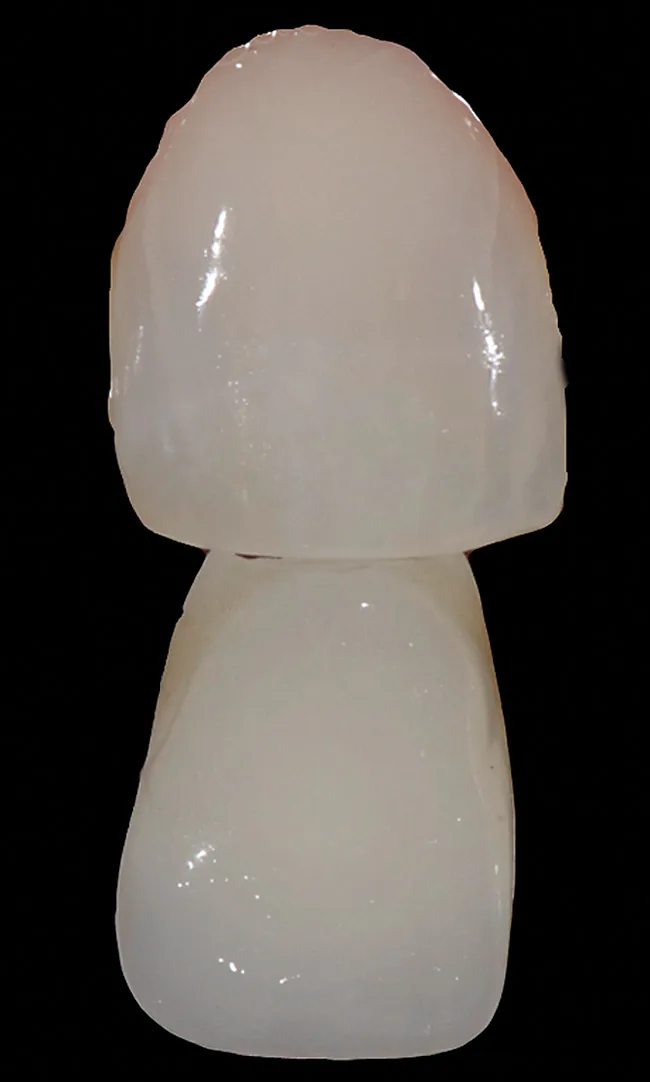
The method McLaren proposes uses a DSLR and Photoshop. The shade tab is placed beside the tooth and level with its surface, neither in front of the tooth nor behind it, so that its distance to the camera is the same as the tooth's (Figure 2). The photo is taken in RAW, and in Photoshop part of the shade tab is placed over the image of the tooth to make the comparison more direct (Figure 3). A grayscale copy is then made to compare value.
But if we separate out the principles of this method, a simpler version is enough for most clinical cases. Two principles are essential: removing color so that only value remains, and keeping the photographic conditions the same for the shade tab and the tooth. Seen this way, a phone does the job too, provided the shade tab is beside the tooth and level with its surface, the light is even, and no strong reflection falls on the tooth or the tab. To make the photo black and white, it is better to lower saturation to zero in the phone's editor and avoid ready-made black-and-white filters, because these filters change contrast and weight the color channels differently. The result is that the shade tab and the tooth may look equal in one filter and different in another.