Appendix 2 — Part 5: AI Has Changed the Files; How Do We Know Everything Is Right?
This Part
In the previous part, we learned how changes are recorded in GitHub and how we can return to earlier versions of our files.
But one important question remains.
Suppose we have asked AI to revise one of our files. It has done the work and told us the changes are ready.
How do we know exactly what it changed? And if we are not happy with the result, what should we do?
Fortunately, GitHub has a solution for this as well.
Before we accept the changes
Let us return to the same example of the postoperative care instructions prompt that we placed in the my-prompts repository in earlier parts.
Suppose we have decided to make this prompt more complete and add some explanation about bleeding after surgery.
We ask AI to read the file, write the new section, and add it to the prompt.
But there is one point.
We do not want everything AI writes to go straight into the main version. Its explanation may be incomplete, it may have written a sentence incorrectly, or it may even have unintentionally changed part of the previous text.
So it is better to see the result first and then decide whether to accept it.
In Part 3 we learned about branches: a separate path where we can make changes without touching the main version for now.
Now we want to review the result of the work on that branch.
What is a Pull Request?
GitHub has a feature called a Pull Request, usually abbreviated as PR.
The name may sound a little strange, but the concept is simple.
Suppose a colleague has asked you to review the postoperative care instructions used in their practice. You read the text, revise a few parts, and send them the proposed version.
Now your colleague can see the changes, comment on them, and accept them if they agree.
A Pull Request does roughly the same thing.
That is, the changes are ready, and now we can review them before bringing them into the main version.
Creating a PR does not mean the changes have been accepted. It is only an opportunity to see what has happened and decide.
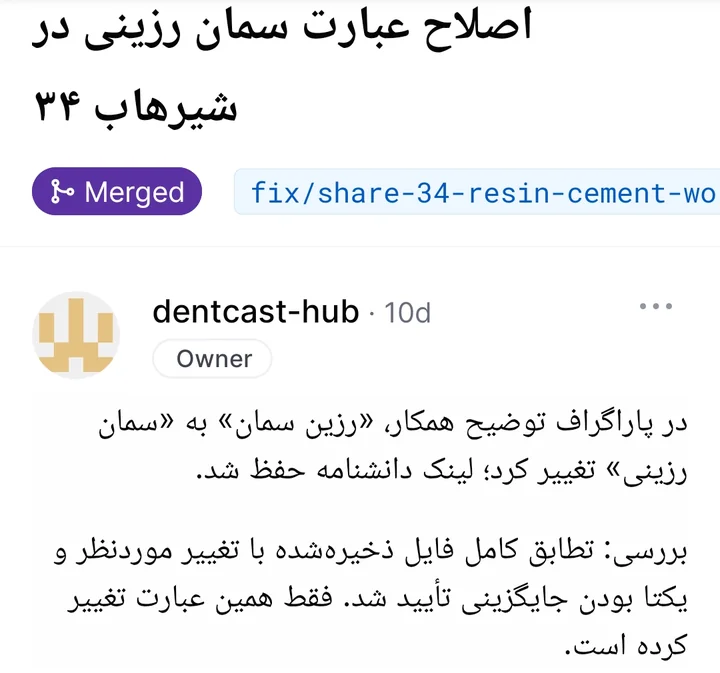
What does GitHub show us?
One of GitHub's useful features is that we can compare the previous and new versions of a file.
For example, in the postoperative care instructions, AI has added a few sentences about bleeding.
When we open the PR and go to the section showing the file changes, called Files changed, we can see which sentences were added and which parts were removed or modified.
Added parts are usually marked in green and removed parts in red.
This way, we do not need to put two complete versions side by side and search for the differences line by line.
For example, we may have asked AI only to add an explanation about bleeding, yet see that it also changed one of the earlier recommendations.
Now we can ask it why it did this and, if necessary, ask it to revert the change.
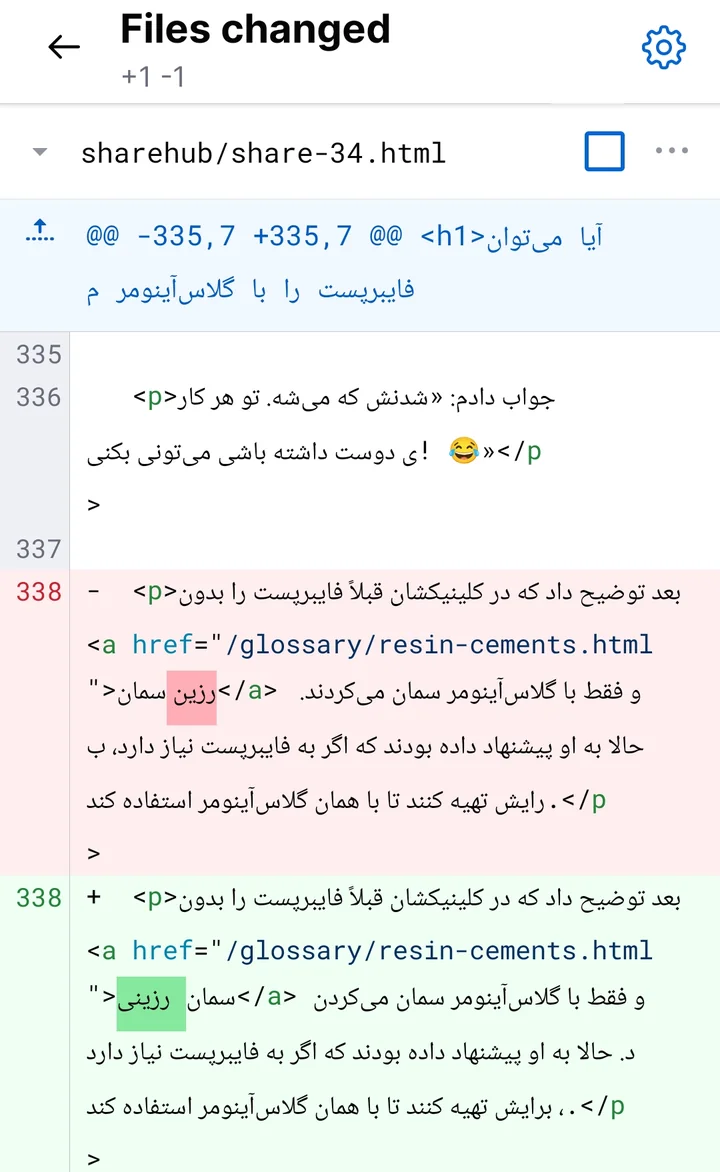
Of course, this comparison tells us what has changed, not whether that change is scientifically correct.
In our example, the accuracy of the treatment recommendations must still be checked by the dentist.
What if we do not like the changes?
That is no problem. The changes are not yet supposed to enter the main version.
Suppose the new section AI wrote is too long, or its explanation is too complicated for the patient.
We can ask it to simplify the text.
Or we may notice that it removed one of the earlier recommendations, even though we never asked for that.
It is enough to tell it to restore that part to its previous state.
AI can make the corrections on the same branch and update the PR so we can review the result again.
We do not need to start over for every correction.
Now let us try it once
Consider the same my-prompts repository.
If you use an AI tool connected to GitHub, such as Work in ChatGPT, and the tool has permission to change files, you can give it this instruction:
“In the my-prompts repository, find the file with the postoperative care instructions prompt. Add a new section about bleeding after surgery. The text should be simple and easy for the patient to understand. Work on a separate branch and create a Pull Request. Do not merge the changes into the main version for now. Send me the PR link.”
If it has the necessary access, AI can prepare the changes and give you the PR link.
By opening that link, you can see the result in GitHub itself.
You can even ask AI to make the job easier:
“Explain the changes you made. Tell me which sentences were added, what was removed, and whether you touched any other parts of the file.”
If you are not happy with the result, ask it to correct it.
And if everything is right, it is time to approve.
Merge: when we accept the changes
In Part 3 we also learned about Merge.
Merging means bringing the changes from one branch into the main branch.
Now that we have seen and reviewed the changes, if we are happy with the result, we can tell AI:
“I approve the changes. Merge this PR and send me the link to the final file in the main version.”
If the tool has the necessary access and nothing else stands in the way, it can do this.
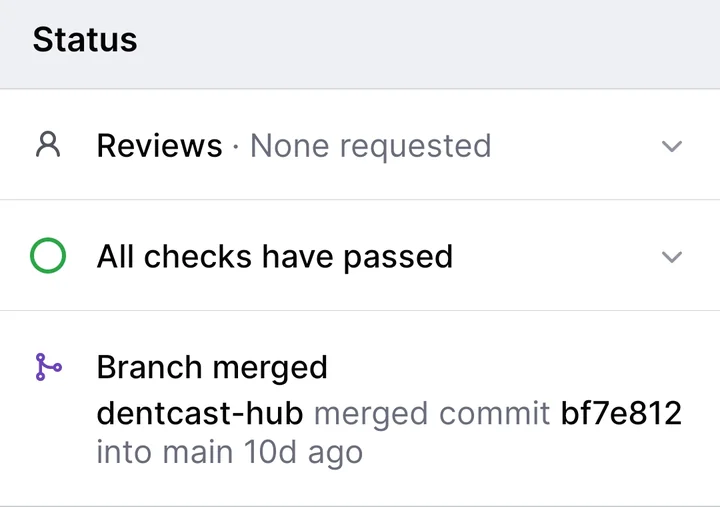
Or we can merge the changes ourselves through GitHub.
The important point is that until the merge, the proposed changes have not entered the main version.
And if we are not happy with the proposal at all, we can close the PR without merging it. The main version stays as it was.
What if the changes are not compatible?
Suppose you have asked AI to rewrite the bleeding section of the postoperative care instructions prompt. AI has prepared the changes on a separate branch.
But before you approve those changes, you revise the same section yourself in the main version.
Now we have two different versions of the same part. GitHub may not be able to tell which text should remain when combining them.
This situation is called a Conflict.
We are not supposed to deal with the technical resolution of this problem ourselves.
It is enough to ask AI to check which changes conflict and how the problem can be resolved.
For example, we can say:
“Check why the changes conflict. Show me both versions and suggest which parts should remain. Do not delete or merge anything before I approve.”
It is that simple. We decide what the final text should be, and AI can carry out the practical work.
So what exactly do we need to do?
If you have noticed, at no point in these steps do we need to memorize a specific command or know programming.
AI can find the file, change it, create a branch, record the changes, and prepare a PR.
Our job is to specify what we want, review the result, and finally decide whether to accept the changes.
GitHub also helps make this process visible: we know what has changed, who changed it, and whether it has entered the main version or is still awaiting approval.
Just remember: the fact that AI can do GitHub tasks does not mean we should let it finalize any change without review.
We have now learned almost all the main concepts we need.
In the next part, the last part of this appendix, we will see how we can keep an independent copy of our files and their change history on our own computer, so that even if we lose access to GitHub one day, we do not lose our information.