
How to Get an AI Subscription in Iran
This Appendix
This section is not part of the chapter's lessons; it's a practical guide that comes in handy whenever you want to get a subscription to an AI. Because payment and access conditions in Iran change constantly, I've kept this page separate and update it whenever needed.
First of all, why is this even hard. Services like ChatGPT, Claude, and Gemini take their payment with an international bank card, and an Iranian card isn't connected to that system. So we have to take a different route: in-app purchase with a gift card.
The General Idea at a Glance
The path is this: with rial you buy a gift card, enter its code into your account to top up your balance, and then, from inside the AI app itself, you buy your subscription with that same balance. Entering the code and activating it is called “redeeming” (Redeem) — the very act that turns the gift-card code into spendable balance. So instead of paying that service directly, you first fill your account's wallet, then spend from that wallet.
A Golden Rule — Break It and You Get Stuck
The country of the gift card and the country of your account must be the same. If your account is on the US, you have to buy a US gift card. A gift card from another country won't work on a US account and you'll just get an error. This is the single most important point people get stuck on.
And an honest warning from experience: sometimes even when everything is right on paper (account and gift card both the same country), it still may not redeem, for side reasons. So if it doesn't work the first time, it isn't necessarily your fault.
Why It's Easier with an iPhone
If you have both an iPhone and an Android phone, my advice is to make these purchases with the iPhone, through the App Store. Two reasons:
First, in practice Google Play has more side hassle and sometimes balks even when everything is correct. Second, and more important, Google Play lets you change your account's country only once a year and then locks you for twelve months; but the App Store is more flexible about this. That is, if you make one mistake on Android, your hands may be tied for up to a year.
Three Steps to Redeem on iPhone
Once you've bought the gift card and have its code, here's how you enter it on an iPhone:
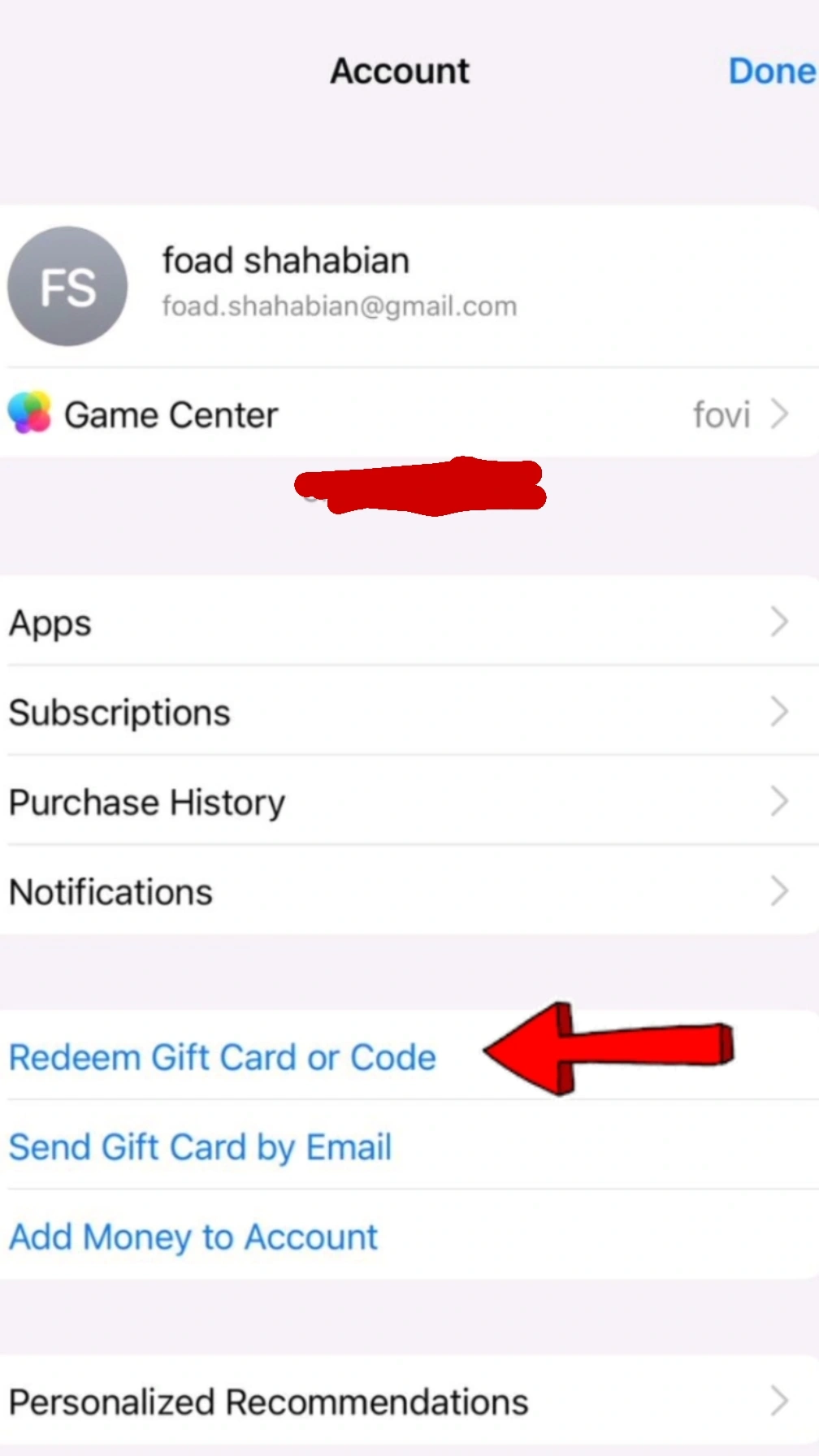
1. Open the App Store and tap your profile icon at the top corner of the screen.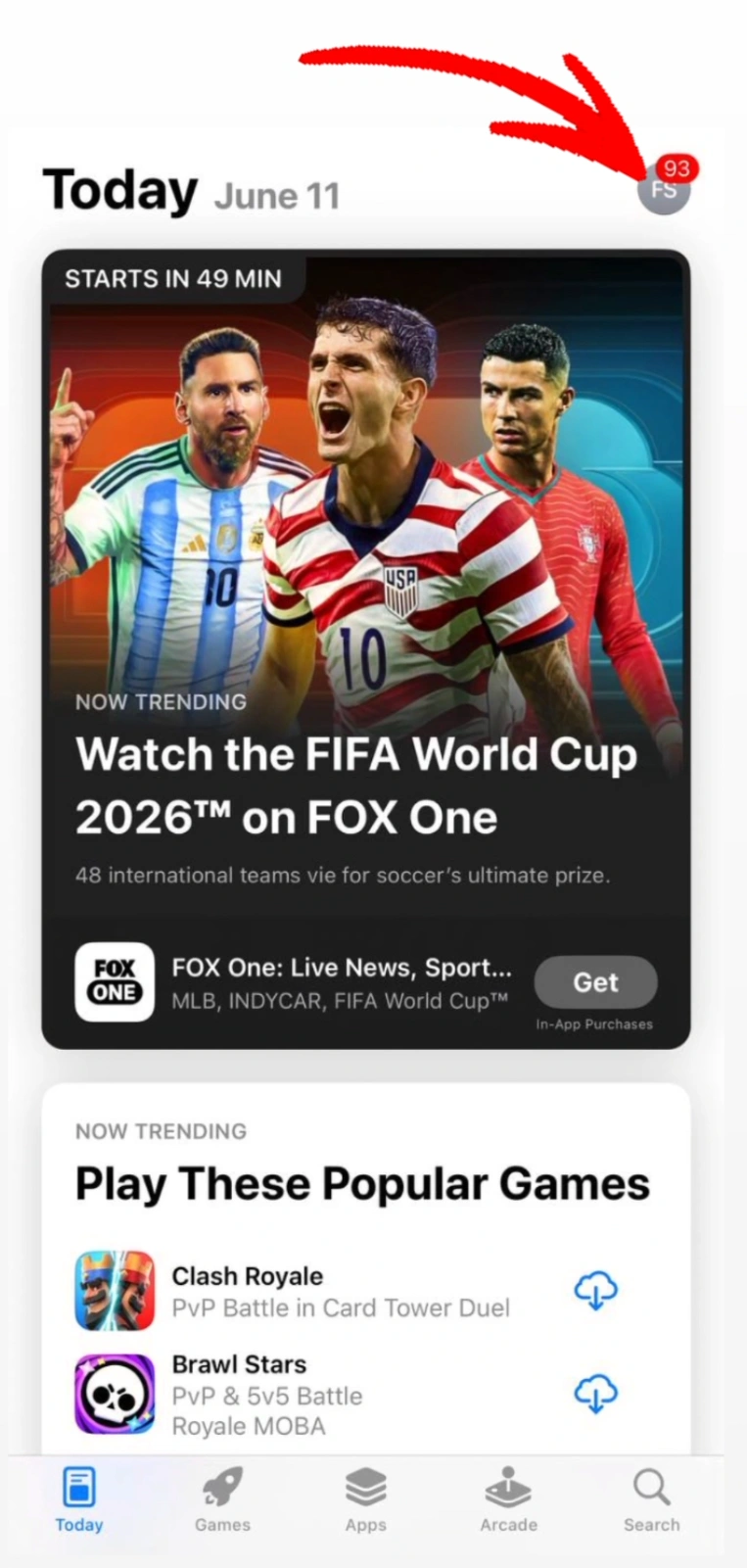 2. On the Account page, tap Redeem Gift Card or Code.
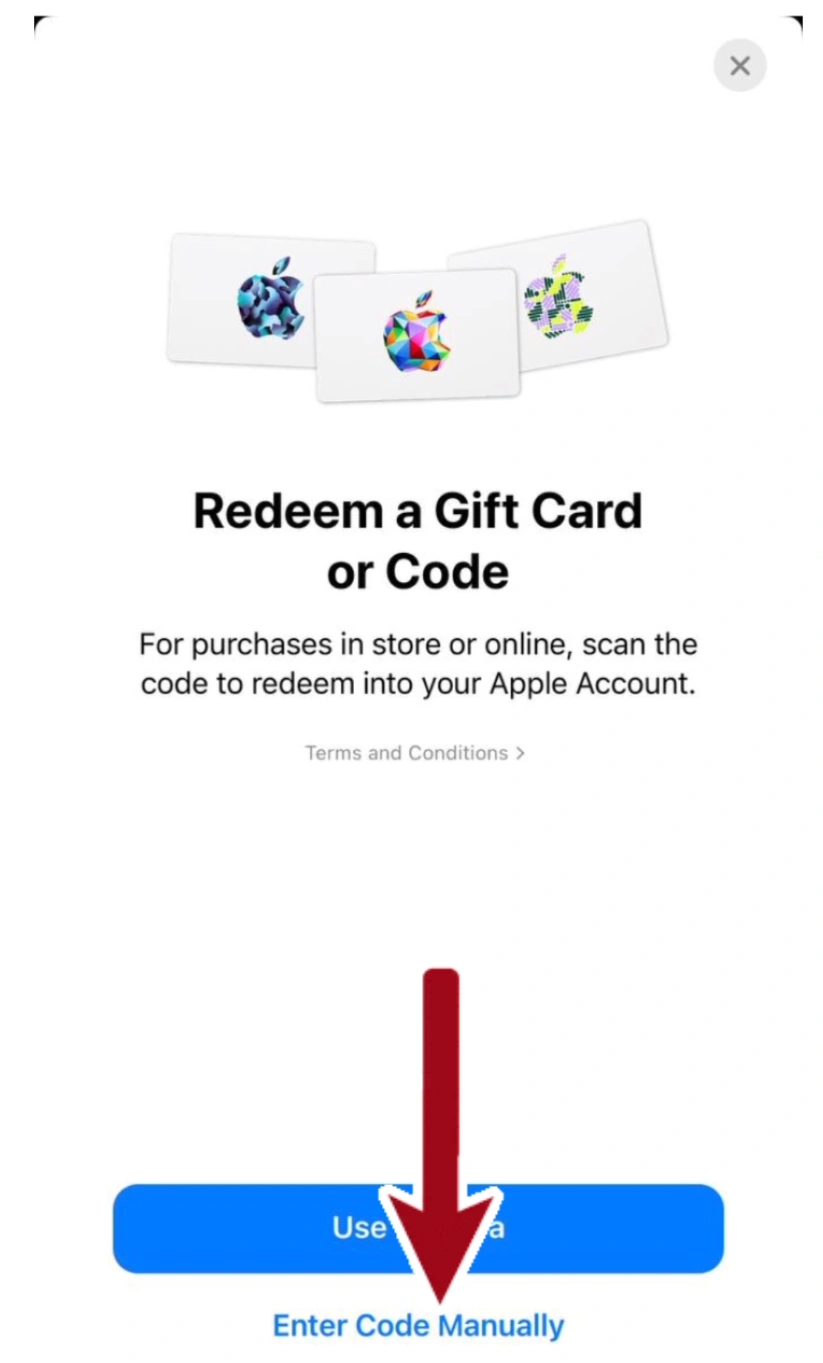
 3. At the bottom of the page, tap Enter Code Manually and type the code. If you prefer, you can scan the code with the camera instead, but entering it manually is more reliable.
 After this, your account balance is topped up and you can go into the AI app and buy your subscription.
About Buying the Gift Card Itself
Here I have to be blunt: I won't recommend a specific site to you. The reason is that these intermediaries change constantly and some of them aren't trustworthy, and I don't want to send you somewhere that becomes a headache tomorrow. Instead, search for it yourself (for example, “buy a valid Apple gift card”) and check these few things before buying:
The site should carry trust signs: an e-trust badge, a track record and real user reviews, clear contact channels. Don't trust a suspiciously-good price; if somewhere sells much cheaper than everyone else, something is usually off. And know that most reputable sites require identity verification to buy; this is not only not a bad thing, it's itself a sign that they're serious. So be ready to provide an identity document.