
The Domain
This Part
The site’s name, which is called the domain, is something like dentcast.ir. A patient types it to reach the site, and Google shows it under every result so it is clear which site that result belongs to. In part 3 we compared the domain to the name of a building. Buying a domain does not build a site on its own, but it is the first thing in this series you truly own, and the only decision that is almost impossible to change later. A building can be renovated and its doors replaced, but if the building’s name changes, everyone who had the old name arrives at an address that no longer exists.
This part has three jobs: choosing the name, registering it under your own name, and getting to know the tool that will later, through this same name, show you how your site is doing on Google.
Build the name from your identity line
In the previous part you wrote your identity line and saw how people search your name. The site’s name comes from there. The first decision is whether the site’s name is built from your name or from the practice’s name. Your own name is usually more durable, because a practice may move, a partner may change or its name may change, but your name stays with you. If the practice has a name patients remember more than yours and you do not intend to change it, the practice’s name is also a sound choice.
Putting the city or the specialty in the site’s name is usually unnecessary. The domain name carries little weight in Google’s ranking, and what connects you to your specialty and city is the identity line and the site’s content, not the name itself. On the other hand, a city written into the site’s name becomes an obstacle on the day the practice moves to another city.
After this decision, the name has to pass a few simple tests. It should be short. When you say it over the phone, the listener should be able to type it without asking how it is spelled. It should have no hyphens and no digits, because both have to be explained separately and patients usually leave them out. And most important of all, the Latin form of your name should have one clear spelling. A name like Shahabian can be written several ways in Latin letters, and you should pick the form most people would naturally write, not necessarily the one in your passport. The Google suggestions you saw in the previous part, and searching your name in Latin letters, show exactly that.
The part that comes after the dot is called the extension. For a practice in Iran, the .ir extension is the natural choice, because your patients are in Iran, registering it from inside the country is simple and paying for it is no problem. Registering a .com from inside Iran usually requires intermediaries, and those intermediaries raise the risk of losing control of the domain.
The domain must be registered in your own name
This is the most important section of this part. If a web designer or a company buys the domain for you, they very often register it with their own account and details. In that case your site’s name legally belongs to them. If one day your relationship with them ends, or they forget the renewal, the building’s name slips out of your hands. This is the same tenancy from part 1, this time with a landlord whose name you did not even know.
So register the domain yourself, with a user account created with your own email and phone number, whose password only you hold. If someone is going to work on the site later, give them temporary access, but do not transfer ownership of the domain.
.ir domains are registered by a center called IRNIC, and this can be done directly on its own site, nic.ir. That is how I registered dentcast.ir. First I signed up on the IRNIC site and verified my identity, meaning I entered my identity details and sent the documents that were requested. After that, the user panel has a section for registering a domain, where you enter the domain name you want, see whether it is available, and pay for the period you choose. In the same panel, the domains you have registered appear in a separate list.
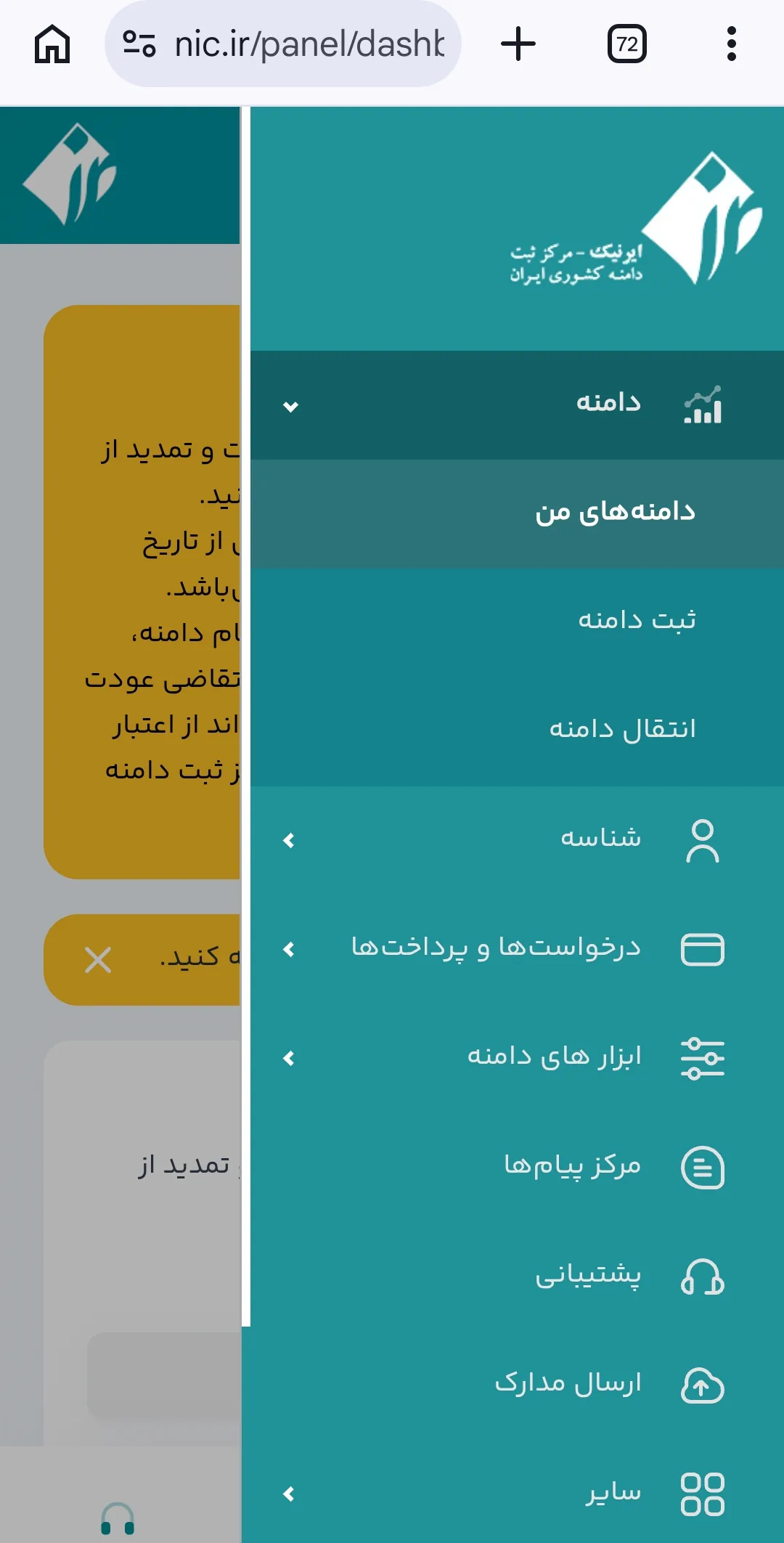
After signing up with IRNIC you receive an ID, a code by which the domain’s owner is known from then on. The domain is registered to this ID, and that is why it matters that the ID is your own.
The second risk is renewal. A domain is not bought once and for all; it is registered for a set period and must be renewed. A domain whose renewal is forgotten becomes available after a while, and any buyer can take it. The simple way around this is to choose the longest period offered and put the expiry date in your calendar the same day, with a reminder one month before.
How to tell the domain is really yours
After registering, check three things. First, that you can log into the panel with your own account and see the domain in your own list of domains. Second, that in the domain’s details, the registrant is your own ID with your own name. Third, that you know the expiry date and have put it in your calendar. For .ir domains, the owner’s details can also be looked up on nic.ir without logging into the panel.
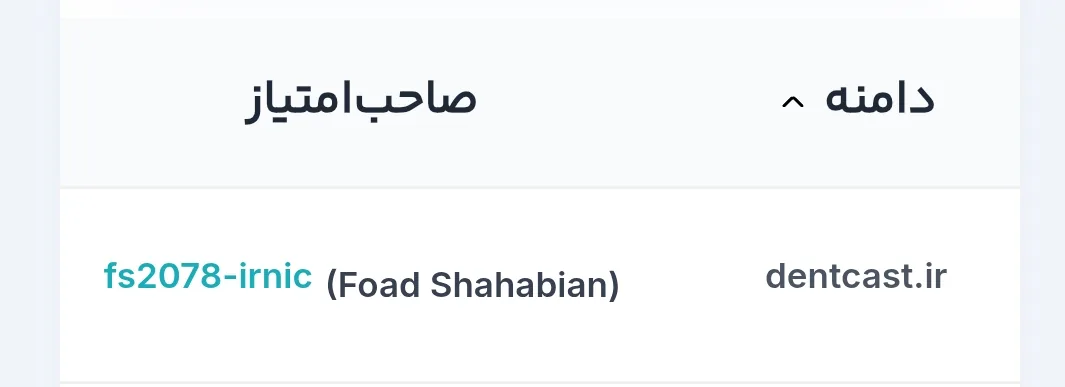
If your current site was built by a company, run these same three checks on your current domain too. If the name in the registrant column is not yours, request a domain transfer before anything else.
A tool that later works through this same name
Google has a free tool called Google Search Console that shows each site’s owner which searches their site appeared in, how many people saw it in the results and how many clicked on it. The search for your name that you examined in the previous part shows up in this tool with numbers, and the questions patients type, which you listed in part 5, appear in it in the patients’ own words. In other words, it is the only place where you can see whether what this chapter said holds true for your own site.
Google shows this information only to the site’s owner, and to know that you are the owner, it asks you to prove ownership of the domain. That is why Search Console only makes sense after the domain, and that is why the domain must be in your own name. Setting it up and reading it happen in chapter four, once the site is published and has something to show.
Exercise
From your identity line, write three candidate names for the site. Say each one over the phone to someone, without explaining how it is spelled, and ask them to type it and send it back to you. The name that is typed correctly every time is your site’s name.
This exercise does not end with choosing the name; registering the domain is the job of this part, not something for later. If you do not have an IRNIC account yet, go to nic.ir this week, sign up with your own email and phone number, and complete identity verification so you get your own ID. Then, in the domain registration section, see whether the name you chose is available, and if it is not, try the second name on your list. Register the name with that same account for the longest period offered, and put the expiry date in your calendar the same day, with a reminder one month before.
The test of success: the registrant column shows your own ID and name, the account password is held only by you, and the expiry date is in your calendar.
With this part, chapter two ends and three things are in your hands: the list of patient questions, the practice information file with the identity line at its top, and the site’s name. Chapter three starts from these same three raw materials, and its first decision is which doors this building should have inside.